Showing posts with label Gadget. Show all posts
It wasn't supposed to exist. "The" Google Phone. Then we (and others) heard otherwise. And now, Google isn't just handing this "sexy beast" out to employees, they're going to sell it directly. Everything has changed. Here's what we know.
• The Wall Street Journal says it's made by HTC and called the Nexus One. It'll be sold online, directly by Google. You'll have to get your own cell service (which suggests it's an unlocked device). Curiously, the WSJ says, "unlike the more than half-dozen Android phones made by phone manufacturers today, Google designed virtually the entire software experience behind the phone." Sounds weird, since they designed the look and feel of the software on the Droid and G1 too, except that our source had told us before that the current Android we know isn't the "real" Android. Also odd sounding: that name, Nexus One. But maybe not that odd.
• Google confirmed they handed out "a device that combines innovative hardware from a partner with software that runs on Android to experiment with new mobile features and capabilities and we shared this device with Google employees across the globe."
• A bunch of Google employees tweeted stuff like the phone is "like an iPhone on beautifying steroids."
• It probably looks like this:
• It's supposedly an unlocked GSM phone running Android 2.1, powered by the crazyfast Snapdragon processor, with an OLED touchscreen (no keyboard), dual mics (for killing background noise), and enhanced voice-to-text powers. It's gonna be alllll Google branding. And it's probably coming out in January. Which jives with what our source saw a couple weeks ago, a huge screen running a brand new version of Android unlike anything out there.
• We heard it was referred to, at least in some capacity in the staff meeting where they were handed out, as the "Passion."
If Google really is going to push this as The Google Phone (and it's not just a dev phone), it's hard to understate just how radically this changes the landscape not just for Android, but what it means for Google and their relationship to the cellphone industry. The Google Phone would be a radically different model, a shift from the Microsoft one—make the software, let somebody else deal with the hardware—to the Apple and BlackBerry one—make the software and the hardware, tightly integrated. And Google's even taking a step further, by selling it directly, bypassing the carriers, at least initially. (Google would not be the first to sell a high-powered unlocked phone—see Sony Ericsson and Nokia—but neither them are, um, Google, and their well-known failures with that approach makes it even ballsier.)
It's a powerful message: to the companies making phones running Android, to the carriers, to developers, to consumers. Google is in this, to win. Everything has changed. You know, unless it hasn't.
We have mentioned about next generation Pinetrail based netbook solutions from Lenovo’s Ideapad FL5-B3 and Fujitsu’s Lifebook MH380 earlier, now seems that Acer has followed their steps to come out with its first Pinetrail netbook under its Aspire One family based on downloadable driver source from its official website. Named as Aspire One AO532H-xx, it will be powered by Intel Atom Pineview N450 processor targeted for thermally efficient mobile computing.


The N450 will be clocking at maximum of 1.66GHz which is slightly faster than typical nettop specification that topped at 1.6GHz. And utilizing its upcoming GMA3150 integrated graphics chipset solution, it can easily scale up the display resolution up to 1280 x 720 pixels to be displayed on a 10.1-inch LCD panel with controllable LED backlight capability. Some other hardware specifications include a 1GB memory RAM, an option of either 160GB or 250GB hard disk drive, Ethernet, USB ports, a 0.3-megapixel camera module as well as VGA output for external display. Comparatively, Fujitsu Lifebook is better in terms of display resolution with FWXGA 1366 X 768 pixels besides a more advanced built in 802.11n WLAN module.


For now there is no any confirmed date available yet so we cant give you further information
Previously we mentioned about Lenovo IdeaPad FL5-B3 as the first Intel Atom Pineview nettop, now seems that Fujitsu new netbook machine has been spotted at FCC filing, indicating that more and more Pineview Atom based netbook is on the way. Named as MH380 and M380, the netbook will be categorized under its famous LifeBook family suitable for general web surfing, office applications and other tasks.


The new machine will be powered by Intel Atom Pineview processor running at 1.66GHz. If you recall, Intel Pineview has been officially renamed as N450 that is supposed to be a new replacement of existing N-series targeted for much CPU and graphics intensive applications. Although not many information being disclosed yet, there is confirmation that a 802.11n Wi-Fi module will be integrated for seamless network connectivity, on top of normal Ethernet RTL8103EL-GR 10/100 Controller solution from RealTek. Besides, it will also be equipped with standard 10.1-inch LCD display with FWXGA 1366 X 768 resolutions. In terms of physical form factor, the LifeBook has a slightly rounded-edge design with ample space catering for future system upgrade whenever necessarily.
No pricing information and exact availability yet, the Fujitsu LifeBook is expected to reach commercial market soon. Since it is still categorized under pre-production sample, the specification may slightly vary or change but likelihood for this to happen is low due to resubmission for FCC is quite time and effort consuming.
 Intel Atom is getting good traction and is currently dominating nettop market with a series of processors under this family. In order to continue its momentum, the giant chipmaker is planning to launch its successor, codenamed as Pineview combining with its TigerPoint chipset offering two-chip solution for much effective board design with lower BOM (Bill of Material) cost. While most of us are still waiting for its availability targeted by early next year, a recent FCC filing has disclosed that the first Pinetrail based netbook could be provided by Lenovo under one of its IdeaPad series.
intel_pinetrail

Named as FL5-B3 (no official name yet), the machine is claimed to be powered by Intel Pineview processor (or officially known as N450) running at 1.66GHz and coupled with Tiger Point as an IO hub to extend its connectivity for external peripherals. Besides, it comes with a standard 10.1-inch 1024 X 600 resolution panels, with 2GB of memory RAM and a relatively large 250GB hard disk drive. As compared to its predecessor, the new PineTrail solution will be built using 45-nm process technology for both processor and chipset that will put them in even better performance per watt ratio, with maximum TDP (Thermal Design Power) under thermal envelope of less than seven watt suitable for fanless applications. That is not all, its internal graphics core speed has been upgraded from previously GMA950 to GMA500 with 200MHz core speed which will definitely able to boost up its graphics performance to next level.

The new Atom D410 and D510 processors were just given preliminary benchmarking tests, and the scores actually came out pretty disappointing. The older Nvidia Ion configuration actually beat the Pineview procs in most tests—not what we'd call encouraging.
Of course you don't go for an Atom for muscle, and the Pineview processors do beat the Ion in power consumption and cost (the new guys are both under $100). But we expect performance to go up as well, and the Ion mopped the floor with the D410 and D510 in most real-world applications. The Pineview procs did win in raw processing power, however. These are early tests, so take them with a grain of salt, but we'd really have preferred to see some numbers that at least beat existing configurations like Ion. [CarTFT (German PDF) and SemiAccurate via Engadget
HP Envy 15 Beats
 HP is launching a limited edition of its HP Envy 15 Laptop, the HP Envy 15 Beats.
The HP Envy 15 Beats is a collaboration between HP and rapper Dr Dre, and it will feature a Beats sound system and a piano black high gloss finish, as well as a signature Beats design.


HP Envy 15 Beats


“We found that most PCs downgrade sound to unacceptable levels and when you reduce it further to a limited platform, like an mp3, the music doesn’t stand a chance. If music is an emotion, if it sounds better, then the emotion is better,” said Jimmy Iovine from Beats on the announcement.
HP Envy 15 Beats
Other features include some DJ software including Native Instruments’ Traktor LE and Audio 2 DJ. Traktor LE with Audio 2 DJ multichannel splitter.
The HP Envy 15 Beats limited edition will go on sale for $2,299.
ASUS
ASUS has announced their N61 multimedia laptops in September. Equipped with 2.8GHz Intel Core 2 Duo Processor T9600, 4GB DDR3 RAM, NVIDIA GeForce GT 240M graphics and 500GB SATA HDD, the 16-inch monster boasts amazing multimedia performance. It is available at all ASUS authorized retail stores now.

More News


I f you're scouting a nettop that'll hit your doorstep prior to those Christmas bells ringing, you'll want to look elsewhere. That said, those with plenty of time to spare may want to consider ASRock's ION 330HT-BD, particularly if you just can't seem to stop renting Blu-ray Discs from Netflix. The box has just landed on Amazon with a $588.99 price tag and an admittedly frightening "usually ships within 1 to 4 months" warning, and if you're no fan of BD (liar!), the standard 330HT is in the same boat for $458.99.

Specification

  1. Intel® Dual Core Atom™ 330
  2. NVIDIA® ION™ GPU with Full HD 1080p playback capability
  3. BD (Blu-ray Disc) Combo
  4. EuP 2.0 Ready
  5. 802.11 b/g/n wireless LAN
  6. Capable to support RAID 0, 1 by adopting the 2nd 2.5” HDD
  7. Powered eSATA/USB port
  8. MCE Remote Controller
  9. Energy Star 5.0 Level
Mark Spoonauer is the editor in chief of LAPTOP Magazine and Laptopmag.com, which reviewed over 130 notebooks and netbooks in the last year. Here are his favorite notebooks of 2009. So if you're buying a notebook, buy one of these.)

Sub $400

Acer Aspire 1410

Starting Price: $399
This 3.2-pound ultraportable is such a sweet deal it makes us question whether netbooks are long for this world. Acer stuffed a dual-core Celeron processor (about double the performance of Atom), 2GB of RAM and Windows 7 Premium inside a 11.6-inch system with a full-size keyboard—all for just $399. Plus, you get 6.5 hours of battery life. Sure, the 160GB hard drive is a bit skimpy, but the 1410 is a real PC you can take anywhere. [Review]

Sub $700

Gateway NV

Starting Price: $599.99
The NV proves that you can get a good-looking budget laptop that performs. In addition to four color choices (blue, brown, read, and black), this 15.6-inch notebook sports a fashionable metal hinge and glowing LED controls. Under the hood the NV satisfies with the combination of an Intel Core 2 Duo CPU, 4GB of RAM, and a 320GB hard drive. Our only nitpick is the narrow touchpad button. [Review]
ASUS UL30A

Starting Price: $649.99
If we had to pick a notebook of the year, the UL30A would be it. Why? Because this 13 incher is light enough to take anywhere yet offers enough pep to be your primary machine. This 4-pound ultraportable lasted nearly 10 hours on a charge in our tests (continuous surfing over Wi-Fi), and its ultra-low voltage Core 2 Duo processor can easily handle Windows 7. Bonus: 500GB of storage is nice for the $650 price. [Review]

Sub $1000

Dell Studio 14z

Starting Price: $749.99
Think of it as the poor man's MacBook—with better specs and sound. Dell's 14-inch thin and light notebook weighs in at just 4.4 pounds and features Nvidia 9400 graphics for extra multimedia punch. But unlike the entry level $999 Mac, the Dell offers 70GB more hard drive space, superior speakers, and a backlit keyboard for $160 less. The only trade-offs are the lack of a DVD drive and the need for an adapter for plugging in memory cards. [Review]

Sub $1500

Toshiba Qosmio X505

Starting Price : $1399
Ideal for multimedia mavens and good enough for gamers, the 18.4-inch Qosmio X505 brings serious muscle in the $1,499 configuration, including a blazing Core i7 CPU and Nvidia GTS 250M graphics (with 1 GB of dedicated video memory). We also dig the classy glossy black design with metallic red accents, integrated Blu-ray drive, and booming Harman Kardon speakers. If you want to step up from the 1680 x 945 display to a full HD screen, splurge for the $1,899 model, which also sports 6GB of RAM and an SSD. [Review]
ThinkPad T400s

Starting Price: $1599 ($1359.15 after coupon)
If BMWs are the ultimate driving machines, ThinkPads are the ultimate business machines, and this is the flagship vehicle. The T400s measures just 0.8 inches thick and weighs 3.9 pounds, and it's decked out in supersturdy magnesium (for the bottom and deck) and carbon fiber (for the lid). More important, this 14-incher blows away the competition in terms of ergonomic comfort and performance—when you spring for the 2.53-GHz processor and 128GB solid state drive. [Review]
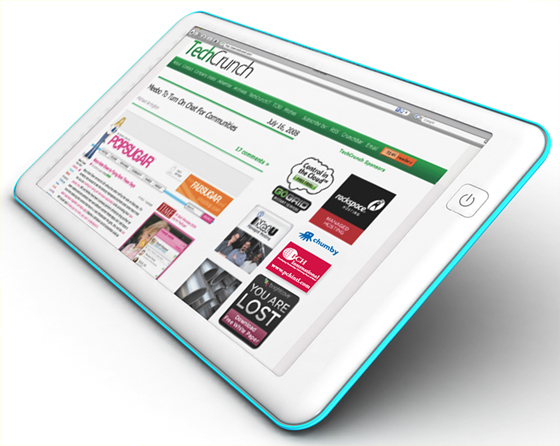
From the web news had I read,The JooJoo{Crunchpad} looks really cool and amazing.But its just barely working. We can say that Fusion Garage executed an internet tablet quite well.


I had some new facts I gathered from the meeting. First, the device runs a 1.6GHz Atom processor with 1GB RAM. The guys at JooJoo said they weren't ready to reveal specs yet, but I saw the bootup sequence—a standard BIOS setup that displayed what it was booting to—and saw the specs. Chandra, CEO of Fusion Garage, says that the demo hardware was basically the final hardware, so it's easy to put two and two together.
As for the graphics card + CPU combination, it's probably an Nvidia Ion chipset. They claim that it handles 1080p YouTube video fine—we only got to see a few seconds of 720p and 1080p HD YouTube video because the internet connection was acting up—so it's probably an Ion. But the HD video we tested looked just fine on its 12-inch, 1366x768 resolution screen. Again, the Ion chipset is just an educated guess, but there are few other hardware options that can handle 1080p video smoothly, and an Atom CPU by itself (which we did see) can't do it on its own.

There is a headphone Jack, a microphone jack, a built-in webcam at 1.3 megapixels, a charging port and a USB slot. The external card slot present in the prototype isn't going to make it to the final version, but they are thinking of making it available to put a 3G card in there in the future. No TV out/HDMI out yet, but they are thinking about that. There are built-in speakers for playing back audio without headphones, and they're decent enough that you can actually listen to them, but you'll want to plug them in to speakers for any kind of extended video consumption.

Performance
The tablet actually handled pretty well, with browsing web pages, transitioning between tabs (windows) and opening up new web pages working fine. There's an accelerometer in there to detect between vertical and horizontal orientations.
The body is solid, sturdy and graced with a bright 12-inch screen. The back is curved and made of a plastic that feels nice in your hand, and the whole thing doesn't seem too heavy to prop up on a bed or a toilet.
In short, it's an actual web browsing tablet that you'd be perfectly fine using.
 
Software that been use by the tablet are basically a gateway to your browser, which is based off WebKit, the same code that powers Safari and Google's Chrome. It's fast, and handles gestures (pinching to go back a level, swiping to move up and down) just fine. There are other gestures that will be included in the final build, like two finger swiping for going back and forth in history and a bookmark swipe, but we didn't get to see that. But, you can't zoom into text. That's partially because the pinching is already used for going in and out of your windows into the home screen, but also partially because the screen is 12 inches. You don't need to really zoom into text on a laptop-sized screen of 12 inches. And they also said they may make LARGER sized tablets as well, with 12 being their smallest size.
JooJoo's keyboard looks like this, and takes up only a portion of the screen. It's usable, but you don't want to use it to bang out a blog post; this is mainly for consuming media.
Fusion Garage's concept for the product is that the "internet is the application", which means you can't save photos or files locally and you can't access any of the 4GB of storage to do any user level stuff. The most you can dictate is how much each internet application (e.g. Gmail or Google Wave) can have for a local cache.
It does support Flash as usual, except when you play HD Flash it'll force you into fullscreen mode to render better/faster. And if you want to read PDFs, it'll force you into Google's web-based PDF doc reader. So it handles PDFs, but not "natively".
Your home screen is composed almost entirely of icons—shortcuts—to web applications. The screen is customizable with your own applications, eventually, and has a weird feature where it displays a different color background whenever you go back to it. Fusion Garage is thinking of taking this out, or swapping it with some other feature.
As for multitasking, Fusion Garage says that they will have specific APIs available to webapps to incorporate in order to pass notifications up to the user. For example, if Twitter refreshes in another window and you're watching a YouTube video, a popup will show and tell you you have something else going on. The APIs will be available at launch, but it's up to websites to support them.

So right now we're at a wait and see status. The JooJoo seems good, from our time with it, but it really needs to be taken home and thoroughly tested with different webapps, watching a lot of HD video and streaming music. At the very least, we'll see how much of that 5-hour battery life stands up to constant use. You can pre-order it yourself this Friday, but, since there's some legal troubles on the horizon, you probably want to wait until the whole thing clears up first before putting any money down. [JooJoo]
N64Mini makes claim to 'world's smallest' portable N64, is still rather husky (video)
The N64 has been dead for two Nintendo console iterations now, but the dream for the portable version the company never created still lives on. We've seen plenty of homemade creations, but the latest from modder Zenloc claims to be the world's smallest at 120 x 200 x 50mm. As it turns out it isn't, the Retro 64 mod from earlier this summer is slightly smaller, but you'd need particularly large pantaloons to mistake either as pocket-sized. Sadly this one has ditched its D-pad in the quest to shave off a few inches, but we think it otherwise looks quite nice, and the modder hopes you will too, as he's put the thing on eBay -- humorously listed as "refurbished."
HTC will be launching the same phone under two names—Bravo in the US, and Passion in Europe, according to new leaks. Only trouble is, it doesn't look much like the Passion we know and love, does it?
Despite the difference in appearance, the Bravo/Passion sounds hot to trot, running on lovely, lovely Android 2.0, and a Snapdragon QDS 1GHz CPU.
Ai.rs has got the exclusive pics-and-info prize, claiming the screen is a 3.7-inch capacitive AMOLED (in contrast to the 3.5-incher previous pics had it at), the camera is a 5.0-megapixel AF job which can handle 720p video recording, and there's a 1400mAh battery—which is the only real downside to this otherwise terrific-sounding Passion/Bravo. Bravssion? Passvo?
Whatever it is, the US launch has been delayed until January, with the European launch slated for April. [Digitimes and Ai.rs]
 

There aren't many details available about the Dell Vostro V13 other than the fact that it's an ultra-thin, ultra-light ultraportable with a seemingly very reasonable $450 price tag, but at least there are a few teasing pictures. Updated: Hello details!
The V13's puny 3.5 pounds may include eSATA, Ethernet, USB and a card reader, but we'll just have to wait for confirmation on the details. [Electronista]
Update: The V13 may be aimed toward business travelers, but based on the details, it wouldn't be bad for the rest of us either:
• 13.3-inch screen
• An ultra-low voltage Core 2 processor
• 4GB of DDR3 RAM pre-loaded
• Bluetooth and 802.11g/n
• An integrated webcam and microphone
Not bad, though it looks like folks in New Zealand are getting the short end of the stick for some reason, since the expected price there converts to about $850. [PC World]

Not that we haven't seen turntable capabilities shoved into production and concept devices alike before, but there's something curiously seductive about this one. Dreamed up by Sir Thomas Mascall, the Touchtable is a pocket-sized PMP that boasts a digit-friendly surface meant for scratching, mixing and all manners of interacting. Aside from playing back your favorite MP3s, this bugger can (in theory, anyway) also mix jams on the fly, cue outputs and even connect with a second Touchtable wirelessly in order to establish a more traditional DJ setup (at 1:8 scale). Plug it into a PC, and now you've got a MIDI controller. Pop that source link if you're looking for a few more images and details, and feel free to contact your local VC if interested in seeing this fast-tracked to the commercial realm.
It's a relief to finally lay hands on the Nook. The dual-screen reader was just a prop at its unveiling so I'm happy to report it works (pretty) well. It can't kill Kindle yet, but it's an alternative worth considering.

A Two-Horse Race

Do this now: Disregard all other ebook readers on the market besides Nook and Kindle. Unless you plan to get all of your books from back-alley torrents, or stick to self-published and out-of-copyright PDFs, you are going to need a reader with a good content-delivery system, one it connects to directly via wide-area network. And as long as you're set on e-ink as your preferred means of digital reading—and it's still the choice that's easiest on the eyes and the battery—you're going to need a reader that isn't crapped up with gimmicks that supposedly compensate for the slow display.

Sony messed up by putting a glare-inducing film over its screen to provide questionably beneficial touch controls; iRex avoided that, but made a "touch" interface that requires a stylus. Kindle plays it straight, developing a user interface that works well enough with physical buttons and e-ink (as long as you don't use the "experimental" browser). Nook preserves the same pleasurable reading experience, but tucks in the capacitive-touch LCD screen for added control. In its 1.0 implementation, Nook is not as fast or as smooth as it could be, but already it's showing that the second screen is not a gimmick.
Still, I need to get this out of the way: The second screen is not a sudden and miraculous cure for what ails ebook readers. It may prove to be, but B&N's current implementation is conservative. As yet, there are too few occasions on the Nook when I notice an LCD feature and say "Kindle can't do that." In fact, the Kindle development team hasn't been sitting on their asses—the latest firmware makes Kindle more sprightly than ever, with subtle but awesome user-interface improvements. But Barnes & Noble is itself promising round-the-clock enhancing, optimizing and debugging over the next few months, and I wouldn't be surprised if there were three or four updates pushed through the Nook by March—the first possibly before Christmas.
Does that mean it's not ready now? Let me put it this way: If you are lucky enough to have pre-ordered one in the first wave for the Dec. 7 shipping, or patient enough to wait until mid-January for the next wave, you are going to get a gadget worth being excited about.
And when Barnes & Noble gets its in-store offers and book-lending operation underway, Amazon will have to step up, or sit down.

Big Screen, Little Screen

The first thing I noticed about the LCD was that it was too bright. E-ink is all about eyeball comfort, and I hadn't really thought about how the LCD underneath would compromise that. Because you don't want your eyes to have to adjust every time you look down and back up again, it turns out you want that thing a lot dimmer than you might if it was a standalone device. The automatic brightness adjuster isn't really up to the job, but I found that by dialing it all the way down when reading in bed, and bumping it up a tad, like to 20%, when reading in sunlight, my eyes could look up and down without any annoyance.
The second thing I noticed about the LCD was how nice its keyboard was. Unlike the Kindle, the Nook's keyboard is only visible when you need it, and as an iPhone user, I found it natural and accurate. The capacitive touch is a real boon, especially on a screen so small.
Besides the keyboard and assorted lists of settings and files, the little screen can display a directional pad for moving around text when highlighting or looking up words in the dictionary; it can give you a search box and a place to type notations; it can pop up the music player without leaving the page; it flows book covers in your library and in the store. And when the screen goes dark, you can make horizontal swipe gestures to turn the pages of the e-ink screen above.
Between the LCD and the e-ink screens is a little upside-down U, actually an "N" from the Nook's logo. This is covered with a capacitive-touch layer too, and serves as the "home" button, which wakes up the LCD with a tap, and takes you to the home screen with a double-tap. (There are physical buttons, too: Two page-turn buttons on each side, and a power button on the top, which work as billed and have no hidden features.)

I found the capacitive interface to be handy, but it also revealed the bugginess of the early software. Scrolling could be sticky, tapping the home button or the screen occasionally did nothing, and using the directional pad to navigate text made me yearn for the Kindle's physical mini-joystick. The biggest disappointment was the page-turning swipe gesture. It failed to work half the time I tried it, and when it did work, I noticed that it responded slower than pressing the physical page-turn buttons.
I raised all of these issues with Barnes & Noble, and fortunately they are on top of this. Fixing bugs and speeding up the UI are the primary goals for the first software revision, and I have no doubt that they will achieve their goals in due time, probably before most people can even buy their Nooks.

While U Read

The Nook won't beat the Kindle if all that LCD is for is facilitating navigation—the interface isn't a bad one, but in its current implementation, it's just an alternative, not an upgrade. The way B&N will beat Amazon is by making that damn screen do crazy stuff. It should start by targeting people who read while doing 12 other things.
Me, I require concentration to get through a page, and even music is a distraction. But for some people, it's not hard to read a book while jamming to tunes, periodically glancing at news tickers, and responding to email or text messages. This is the promise of Nook's second screen.
It already does this to some extent. The music player isn't much yet—and has a few kinks B&N is still working out, like automatically and unpleasantly alphabetizing all your songs—but it's a real applet, unlike the Kindle's. On the Kindle, you type Alt-Space to get a song to play, and you click F to advance to the next song. That's about it. With the Nook, you can load up songs and then scroll through them all, picking one you want to hear, or shuffling the tracks. There's no physical volume button, but you can pull up a slider to adjust it, and another slider to jump around a song. And you can do all of this without leaving the page of your book.

But when you look up a word in the dictionary, the definition pops up on the e-ink screen, not the LCD. When you get an error message, again, the pop-up is on the e-ink. Barnes & Noble designated the e-ink as the place where all "reading" would be done, and that includes messages and sidebar content. I disagree with this, if only because the second screen seems tailor-made for alerts and other pop-up info.
The second screen is also a place for third-party developers to create fun and unexpected applets. Barnes & Noble loves to remind reviewers and customers alike that this baby is powered by Android: In other words, Nook may not look like a Motorola Droid, but developers could write apps for it just as easily.
Right now, the integrated Wi-Fi doesn't feel like much of a bonus. (Though it offers certain benefits when abroad, it only works with Wi-Fi networks that don't require a pop-up webpage. Free or not, those are few and far between.) But Wi-Fi means that developers could write internet apps without fearing a crackdown by AT&T, which provides the no-fee wireless connectivity. Paging Pandora!

Built on Bricks and Mortar

When it comes to shopping for books (and reading them), the Nook is the Kindle's equal, and may soon leverage Barnes & Noble's 800 physical locations to knock it out of first place. I was not able to test these features, because they are only starting to roll out this week, but when you take a Nook to a B&N, it will automatically jump on the store's Wi-Fi network, and offer you free goodies—not just downloads but cookies from the café and other treats. Soon, there will be a way to skim an entire ebook while you're in the store, too. You might say, "Big deal, if I'm in the store, I'll just look at the real book." But that's just the point: How nice will it be to compare real and ebook editions before you buy? I asked B&N about bundles of real book and digital download, and they said discussions with publishers are underway.
Needless to say, one of the biggest advantages the Nook has over the Kindle is the chance for people to touch it before buying it. B&N will start showing off Nooks this week, and will add a few more ebook readers to its lineup, too. People who were afraid of taking the plunge will see the benefits and buy.
(My pet theory as to why Sony and others have sold any ebook readers at all in the US is that they appear in retail locations, unlike Kindle. Because if anything but the Nook was showcased side-by-side with the Kindle in a showroom, the decision to go with Amazon would be easy.)
Barnes & Noble has adopted a more natural attitude toward the books they sell, too, allowing you to access what you buy via ebook readers on Macs and PCs, iPhones and BlackBerrys (and in a few months, Android phones) as well as the Nook. Amazon has an iPhone app, but as yet there's no way to read your Kindle book purchases on your own computer.
Speaking of Kindle downloads, some noise has been made about Kindle books being cheaper than B&N ebooks, but Barnes & Noble says that they are in the process of correcting their prices, basically evening them all out so that they're no higher than Amazon's. In my own experience, I found David Foster Wallace's Infinite Jest for $10 and George RR Martin's A Game of Thrones for just $7. I was pretty pleased, though I was a tad annoyed that sales tax wasn't included in the base price. Be warned there.
Lending is another non-Kindle function rolling out this week that I'll be following up on. You select a book from your collection, lend it to someone listed in your Nook contacts, and they receive a message via email and on their Nook's "Daily" screen, where periodicals, offers and other notices show up. When they accept, they can read the book for two weeks. During that time, you can't read it, and when it reverts back to you, they get a notice to buy. You can't lend the same book to the same person twice.
You can also lend books to someone who doesn't have a Nook, to read on their computer or iPhone or BlackBerry, though the notification only comes from email. (Expect a radically redesigned iPhone client in January with lending and other features.) The new readers from iRex and Plastic Logic will include the Barnes & Noble store, and all your purchases will be accessible on those devices. However, at this point, those two devices won't have the lending capability.

Work in Progress

If I haven't said much about reading books on the Nook itself, it's because it feels very much like a Kindle, right down to the page-turn buttons. The screen is the same—there's no discernible difference whatsoever.
Aesthetically, the Nook is better looking, less busy, with a more proportionate bezel (and a wee bit more girth). I like the gray rubber backing as much as I loved in on the original Kindle—I still don't know why Amazon abandoned that.

The only hardware bummer was the sound of the integrated speakers—Kindle beats Nook here (soundly?), but since both have a 35mm jack for headphones, it's mostly a moot point.
The hardware is fully baked, but as I have mentioned the software isn't. Aside from the stickiness of the interface and the flaws in the music player, I found a definite bug in the highlights-and-notes system. I have already listed a what feels like a hundred tiny gripes, but I still have more, like why isn't there AAC playback? And why do I have to get to the home screen to see the clock? (Kindle now shows the time with a single tap of the Menu button, no matter where you are.) I do know why there's no Audible DRM support—because even the devices that supposedly support Audible files don't support the ones most people buy from iTunes, so it's a confusing mess for customers. But I'd still expect the nation's biggest bookstore chain to get serious about audiobooks.
The great thing is that the fixes will come fast and steady, and like the iPhone, this thing will grow. For those of you who took the plunge already, I don't need to tell you to be careful with 1.0 software, because as early adopters you are prepared. And for those of you who missed out on the first batch, guess what? That just means you can wait for the key bugglies to get fixed before you pony up $259. And for those who went for the Kindle this season instead? Congratulations, you have a very nice ebook reader too—for exactly the same price.
In fact, if you have to pick one right now, stick with the Kindle. It's a tough call, because I see a lot of potential in Nook that might not be in Kindle, but damn if the Kindle hasn't grown to comfortably inhabit its e-ink skin. As long as you don't expect apps and extras on a Kindle, it delivers the best ebook experience there is at this moment. And it just went international. But while the limitations of a Kindle are clear, the limitations of the Nook are hazier, presumably further out.

For now, no one will laugh at you for owning either, though you will now surely be ridiculed for spending $400 on a Sony with glare issues, or—pardon me, iRex—anything that requires a stylus. And since many third-party readers are going with the Barnes & Noble store, you'd be dumb to buy any of them instead of the Nook. That may change in the future (can you believe I made it this far without mentioning Apple Tablet?) but for now, in the ebook department, there's just these two big dogs surrounded by a bunch of poodles.

In Brief


Great all-around ebook reader

Second screen serves useful purpose

Expansion and evolution possibilities of this very device are great, especially with touchscreen and Android OS

Lending and in-store Barnes & Noble action will be huge

A little thicker than Kindle, but as a tradeoff, it's a little smaller footprint

Wi-Fi doesn't seem to matter now—hopefully it will prove to be an advantage later

LCD and other features mean less battery life than Kindle, but still adequate, "measured in days"

Many of the Kindle killer functions, like lending and in-store perks, weren't tested, as they are rolling out this week

Current software is buggy; hopefully fix will come soon

Second screen possibilities are great, but current implementation is cautious and conservative
The Barnes & Noble Nook is a singularly interesting piece of hardware, that's for sure, and I would be negligent if I forgot to mention our exclusive unveiling and extended reporting. Here's our Nook coverage, all in one place.
Exclusive: First Photos of Barnes & Noble's Double Screen E-Reader: In which we scoop the crap out of BN's crazy two-screened reader.
Barnes & Noble's Dual-Screen Nook: $260, Eats the Kindle's Lunch: In which the Nook leaks a few hours early.
Barnes & Noble Compares Nook to Kindle 2: Biased But Fair: In which BN thoughtfully explains why the Nook whups the Kindle 2's butt.
Live From Barnes & Noble's Nook Event: In which intrepid reporters John Herrman and Matt Buchanan bring you the Nook's official announcement, live, with bonus Q & A.
8 Reasons You Can Finally Love Ebook Readers (Thanks to Nook): In which we explain why the Nook has finally gotten us excited about ebook readers.
Barnes & Noble Nook Up Close: Yep, It's Real Nice: In which we go hands-on with the Nook, and like it.
Those anxiously awaiting the arrival of the Camangi Webstation Android tablet / MID will be happy to know that the website -- which went up about a week and a half ago -- is now accepting pre-orders. The 7-inch glass touchscreen tablet boasts a 624MHz Marvell PXA303 CPU, 128MB of RAM, 256MB of flash storage, 3G connectivity, WiFi, and GPS, and it comes in white, pink or black. The $399 price is currently discounted for "early birds" to $389 -- so get going, champ
 

A record for ASUS' laptop range, the UM30 measures just 19.6mm thick, and while there's nothing particularly special inside, we do happen to think it looks rather smart. You know, for an ASUS. Running on an Intel Core 2 Duo SU 9400 processor, there's 3GB DDR2 SDRAM and a 320GB HDD. Loaded with Windows 7 Home Premium, the LED-backlit TFT LCD screen is a portable 13.3-inches.

In addition to the lightweight, the UM30 sports an Intel Core 2 Duo T9400 (no clock speed reported by ASUS – Intel’s default speed for that chip is 2.5GHz), a 13″ display, 3GB of DDR2 RAM, a 320GB hard drive, and comes with Windows 7. Not bad for a ultra-thin computer.

Comparing it to its doppelgänger, the MacBook Air, the Core 2 Duo on the air is clocked slower at 1.86GHz, has less memory of a faster type at 2GB DDR3, and has a smaller default hard drive. For what its worth, the MacBook Air comes with Mac OS X and the famed Mac user experience.

The UM30 will hit Japan tomorrow for the price of 100,000 yen (roughly $1,105), which is about $400 cheaper than the MacBook Air, as well. With a similar design and a slightly faster processor, the MacBook Air might have found a challenger in the ultra-thin race.

A record for ASUS' laptop range, the UM30 measures just 19.6mm thick, and while there's nothing particularly special inside, we do happen to think it looks rather smart. You know, for an ASUS. Running on an Intel Core 2 Duo SU 9400 processor, there's 3GB DDR2 SDRAM and a 320GB HDD. Loaded with Windows 7 Home Premium, the LED-backlit TFT LCD screen is a portable 13.3-inches.
Remade by Me
Original Post By Engadget
     Micron claiming the same feat in the SSD realm. The outfit's new RealSSD C300 is the first of its kind to natively comply with the wicked fast new specification, which will (at least in theory) provide read speeds of up to 355MB/sec and write speeds of up to 215MB/sec. It's also the first solid state drive to use ONFI 2.1 high-speed synchronous NAND, and while we're obviously eager to see what real-world benchmarks show, the demonstration vids after the break already have our mouths watering. As for availability? Tthe drive is currently sampling in 1.8- and 2.5-inch sizes, though consumers shouldn't expect to pick one up (in 128GB or 256GB sizes) until Q1 of next year. Best start saving, bud.


Read More>>>>>
Build Your Own PC


So you have decided to take the plunge and build your own PC? Well that’s good but there’s some problems attached to that plan. First you don’t know the difference between a motherboard and your own mother. Secondly, you wouldn’t know an Ethernet card if one came up to you in the street and shook your hand.
But that’s no reason to abandon the project and look up the phone number for your local Dell representative, because as usual, Techrine has you covered. With the complete amateur in mind who has no technical knowledge whatsoever, we are going to show you how to build your own PC! This is a guide where we literally ‘hold your hand’ every step of the way.
The Idiot’s Guide To Building A PC.   This guide is so easy to follow, even your technophobe grandmother could do it.

It’s definitely one of the better manuals out there. You can take a look at the screenshot showing the table of contents below.

Table Of Contents: Build Your Own PC


In case you’re also wondering WHY you would want to build your own computer, there are a lot of reasons.
  • First of all, you should know that building a computer has become A LOT easier than it was 5 years ago. Parts are easier to install, cases are readily available and there is a crap load of free support available on the internet.
  • This is great for paranoid freaks and geeks alike!
  • By building your own machine you know each and every component of your machine
    intimately.
  • You are not affected by the Operating System bloat that companies like Dell and Gateway
    are notorious for.
  • You can also build a system that is geared towards exactly what YOU do. A computer built by you for you. Imagine that?
  • Oh and don’t forget the Geek Cred you get from having a machine you built yourself! Not so great with the ladies but hey in a room full of geeks you can get lots of ohh’s and ahhh’s!
So, download your free no strings attached manual here and build your own pc.
Zionn designed by ZENVERSE | Converted by Blogger Template Place Collaboration One-4-All